The Truth About Downloading Fishin' Frenzy – What Works and What Doesn't
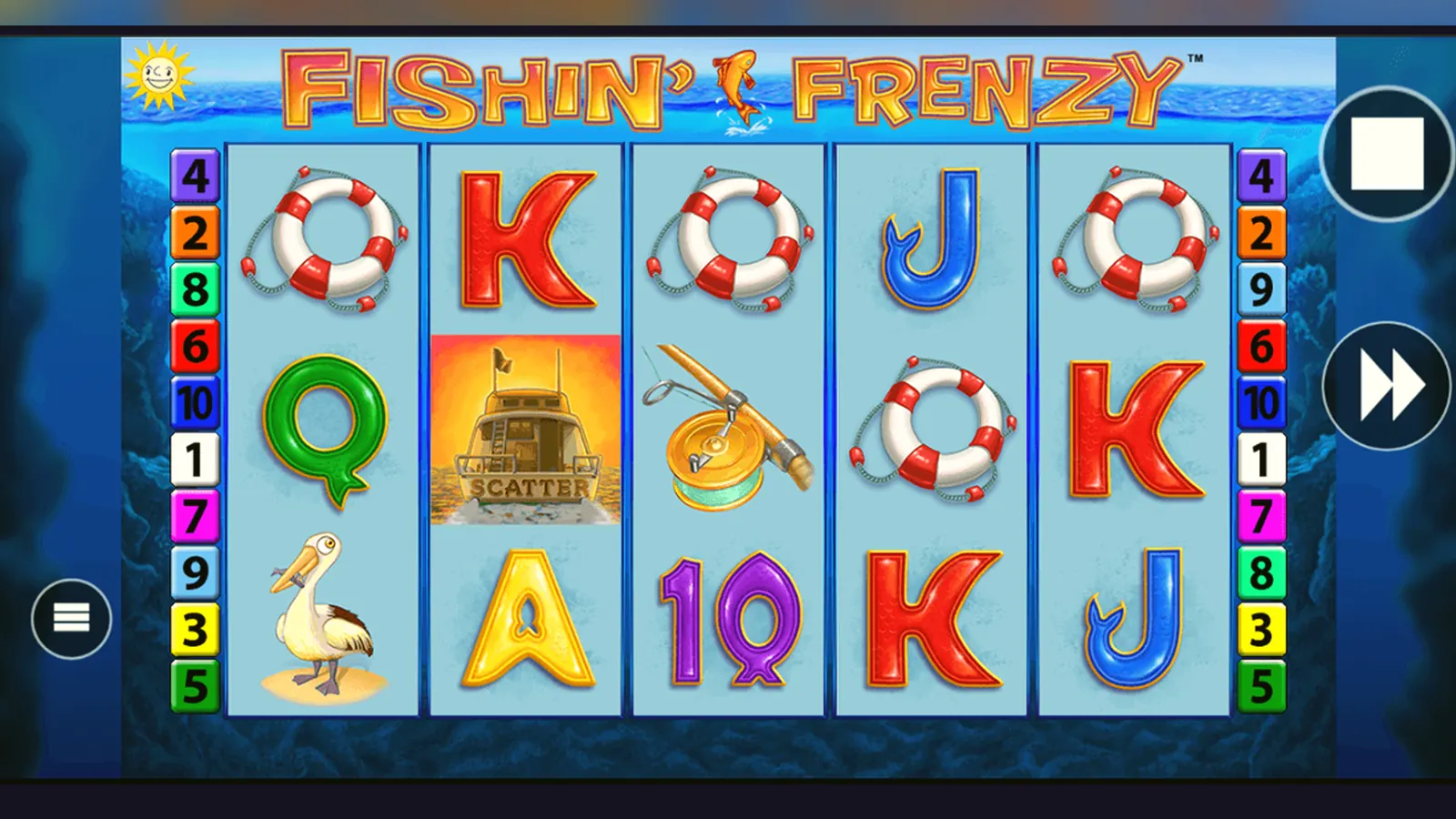
Here's the short version: there's no standalone Fishin' Frenzy app you download separately. The game lives inside casino operator apps and mobile browsers, and both routes are safe if you stick to UKGC-licensed sites. Standalone APK files claiming to be the game are fakes – they're either clones scraping your data or worse.
The confusion is understandable. People search for «Fishin' Frenzy APK» or «Fishin' Frenzy app download» expecting a dedicated installer, but Blueprint Gaming doesn't release the slot that way. What you actually get is access through licensed operators who've integrated the game into their platforms. That's the legal, safe route in the UK, and it works perfectly well once you know what you're looking for.
What You're Actually Downloading – The Real Thing vs the Fakes
When you find Fishin' Frenzy on a UKGC-licensed site, you're playing the genuine Blueprint Gaming release through one of three methods: the operator's native app from Google Play or the App Store, a progressive web app you save to your home screen, or straight through your mobile browser. None of these require you to hunt down an APK file from a dodgy forum.
Those numbers reflect the operator app ecosystem, not a standalone Fishin' Frenzy installer. The game itself doesn't exist as a separate download in the UK. If you see an APK labelled «Fishin' Frenzy official» or «Fishin' Frenzy mod unlimited coins», walk away – it's either a clone built to steal login details or a wrapper for ads and data scraping.
Four Ways to Get the Game on Your Phone – Ranked by Safety
The safest route is the one that keeps you inside the UKGC's regulatory fence. Here's how each method works, step by step, and where the risk sits.
- Mobile browser (zero install, instant): Open your phone's browser, go to a licensed operator's site, log in or register (age verification happens here), search for Fishin' Frenzy in the slots library, tap to load. The game runs in HTML5, no download needed. Risk: none, provided the site's in the UKGC register. Check the licence number in the footer and cross-reference it at gamblingcommission.gov.uk.
- Add to home screen (progressive web app): While on the operator's mobile site, tap your browser's menu and choose «Add to Home Screen» (iOS Safari) or «Install App» (Android Chrome). You'll get an icon that launches the site in a full-screen wrapper. It's still the browser under the bonnet, just tidier. Risk: minimal – same as method one, but faster access.
- Operator's native app (Google Play or App Store): Search for the operator's name in the official store – examples include names you'll recognise from TV ads, all with UKGC licences. Download, open, register (same age and identity checks), find Fishin' Frenzy in the slots menu. Risk: low, as long as you verify the developer name matches the operator and check reviews for legitimacy. The UKGC register will list the trading name; it should match exactly.
- APK from outside the Play Store: This means downloading an installer file from a third-party site, enabling «Install from unknown sources» in your Android settings, and running it. Risk: high to extreme. You've no guarantee the APK is what it claims to be. Even if it loads a game that looks like Fishin' Frenzy, you're handing over payment details and personal data to an unlicensed entity. The UKGC can't help you if things go wrong, and your bank may refuse chargeback claims for transactions with unlicensed sites. If the APK is malware, you've given it full device access.
What the Screens Look Like – A Walkthrough
You won't see a standalone Fishin' Frenzy launcher with its own branding. Instead, the game sits inside the operator's interface. Here's what a typical session looks like across five key screens.
- Lobby screen: The operator's homepage, usually with a search bar at the top, category tabs (Slots, Table Games, Live Casino), and promotional banners. Fishin' Frenzy will appear in the «Slots» or «Popular» sections. Tapping the thumbnail opens a preview screen with RTP, max win, and a «Play Now» button.
- Game loading screen: A splash showing the Fishin' Frenzy logo – the cartoon fisherman and the tagline – while the game assets load. Takes three to eight seconds on 4G, near-instant on 5G or Wi-Fi. If it hangs longer, check your connection or try the desktop site.
- Main game view: The 5×3 grid fills the centre of the screen, with the control panel along the bottom – stake selector (£0.10 to £5.00 per spin in the UK; £2.00 cap if you're aged 18–24), balance display, spin button, and autospin toggle. The paytable and settings icons sit in the top corners. The sea-and-pier backdrop is unmistakable.
- Free spins screen: When you land three or more Scatter symbols (the fisherman), the grid transitions to the free games mode with a splash animation. The screen layout stays the same, but the Prize Catch mechanic activates – fish symbols now reveal cash values collected by the fisherman Wild. A counter at the top tracks remaining spins.
- Balance and account screen: Tap the menu icon (usually three horizontal lines) to see your balance, deposit options, withdrawal requests, and responsible gambling tools. UKGC sites must show your session time, deposit limits, and links to GAMSTOP and BeGambleAware here. If those links are missing, you're on an unlicensed site.
That's the real experience. Fake apps often skip the account screen entirely or show inflated balances you can't actually withdraw – classic signs of a clone.
Device Requirements and What Actually Runs the Game
Fishin' Frenzy is built in HTML5, which means it runs in any modern browser without plugins. Your phone does the work, not a server farm, so the minimum specs matter if you want smooth spins.
- Operating system: iOS 13 or later for iPhones, Android 8.0 (Oreo) or later for Android devices. Older versions may load the game but struggle with animations, especially during free spins.
- RAM: 2 GB minimum, 3 GB or more recommended. Budget phones with 1 GB RAM will stutter when the Prize Catch mechanic triggers multiple fish at once.
- Storage: The game itself doesn't install locally – it streams from the operator's server – but the operator app needs 85–140 MB depending on the platform. Browser play uses negligible storage, just cached assets that clear when you close the tab.
- Connection: 3G works for low-stakes play, but you'll see lag on the spin animations. 4G or Wi-Fi is the sweet spot. 5G is overkill unless you're streaming the game and a video call simultaneously.
- Screen size: Playable on anything from a 4.7-inch iPhone SE to a tablet, but the control panel gets cramped on screens smaller than 5 inches. Landscape mode helps.
The operator app will also need permissions for notifications (bonus alerts), storage (to cache your login), and sometimes location services (to confirm you're in the UK, as UKGC rules require geofencing). A legitimate app won't ask for your contacts, SMS, or phone-call logs – those are malware tells.
Spotting the Fakes – Red Flags and What to Check
Scam apps prey on the search traffic for «Fishin' Frenzy APK download» and «Fishin' Frenzy mod». They look passable at first glance – sometimes they've even ripped the real game's graphics – but they fall apart under scrutiny. Here's what to watch for.
| Red flag | Why it matters |
|---|---|
| No UKGC licence in the footer | Every legal UK casino must display its licence number and link to the UKGC register. If it's missing, the site is unlicensed and your money isn't protected. |
| APK from a file-sharing site | Blueprint Gaming and licensed operators distribute through official app stores only. Third-party APKs are either clones or malware. |
| Asks for credit card details | Credit cards have been banned for UK gambling since 2020. Any site requesting them is either unlicensed or a phishing attempt. |
| Promises unlimited coins or hacks | RNG-based slots can't be hacked. These are scams designed to steal your payment info or install adware. |
| Requests excessive permissions | Contacts, SMS, call logs, camera – none of these are needed to play a slot. They're data-harvesting tools. |
| Balance you can't withdraw | Fake apps let you «win» huge sums but block withdrawals or demand fees upfront. Real operators process withdrawals through Faster Payments or e-wallets within 24–48 hours after KYC. |
Before you deposit a penny, check three things: the site's UKGC licence number (look it up in the public register), its payment methods (debit card, PayPal, Trustly, paysafecard – no credit cards), and its withdrawal policy (KYC documents required before the first payout, typical turnaround 24–72 hours). If any of those are vague or missing, move on.
FAQ
Is there an official Fishin' Frenzy app I can download separately?
No. Blueprint Gaming doesn't release standalone apps for individual slots. Fishin' Frenzy is available through UKGC-licensed casino operators – either in their native apps (from Google Play or the App Store) or via mobile browser. Any APK claiming to be an official standalone installer is a fake.
Can I play Fishin' Frenzy for free on my phone without registering?
Most UKGC-licensed sites offer demo play, but you'll need to log in and verify your age first – even for free mode. That's a regulatory requirement. Once you're in, the demo version plays identically to the real-money game, just with virtual credits that can't be withdrawn.
What happens if I download an APK from a third-party site?
You're taking a serious risk. At best, it's a clone that looks like the game but pays out nothing. At worst, it's malware designed to steal your payment details, login credentials, or personal data. The UKGC can't help you recover losses from unlicensed sites, and your bank may refuse chargeback claims.
How do I know if a casino app is actually licensed in the UK?
Check the footer of the site or app for a UKGC licence number, then look it up in the Gambling Commission's public register at gamblingcommission.gov.uk. The operator's trading name must match exactly. Also verify that the app is listed under the correct developer name in Google Play or the App Store – scammers often use similar names to confuse players.
Why does the operator app ask for my location?
UKGC rules require geofencing to confirm you're physically in the UK when you play. Licensed operators use your device's location services to comply. It's a one-time check per session, not continuous tracking. If an app asks for location but has no UKGC licence, it's a red flag – unlicensed sites don't need to follow those rules, so they're likely harvesting data for other reasons.